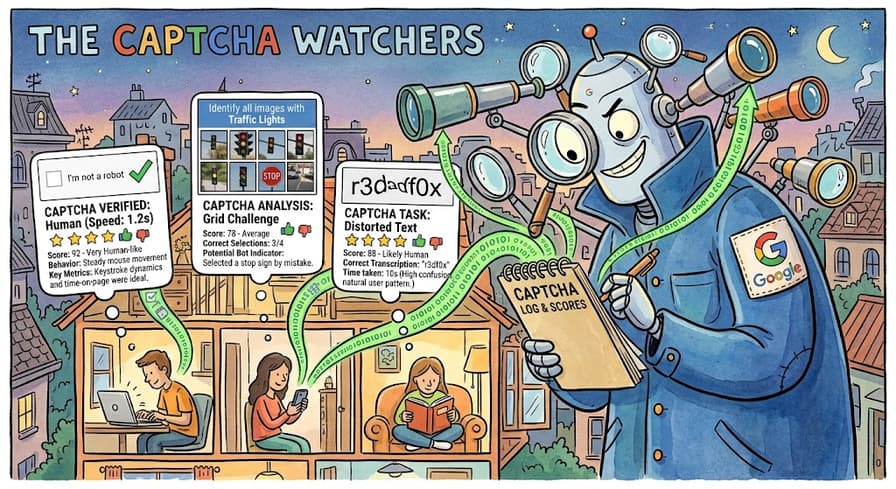
Three sites in one afternoon. The first shows you a checkbox: "I'm not a robot." You click it, it turns green, the form submits. The second shows nothing at all, just a small badge in the bottom-right corner, and your submission comes back with a validation error that never says why. The third returns a clean 200, accepts your submission, and then does nothing with it: no confirmation email, no record, no error.
View the source on all three and you find the same string: recaptcha.
They are not the same mechanism. They are three generations of one product, each with a different contract between the browser, Google, and the site's backend. Once you know which one you're looking at, the behavior stops being mysterious. You can tell what the site actually decided about your session and who made that decision. Often it wasn't Google.
v2 Checkbox: A Widget That Mints a Token
The classic v2 integration loads https://www.google.com/recaptcha/api.js and places a div with class g-recaptcha and a data-sitekeyattribute on the page. Optional attributes include data-theme, data-size, data-callback, data-expired-callback and data-error-callback. Sites that render it manually call grecaptcha.render() with a container and a parameters object.
The widget produces exactly one thing: a token. On success, the API writes it into a hidden form field named g-recaptcha-response, where the page can also read it with grecaptcha.getResponse().
The image challenge, with its traffic lights and crosswalks, is the fallback, not the mechanism. Most of the time, clicking the checkbox is enough, because Google has already made up its mind from signals collected before the click. The puzzle appears only when it hasn't.
The detail that matters from the outside is that the token means nothing on its own. It's an opaque string the site's backend must exchange with Google. A green checkbox in your browser proves nothing to the server. The verdict comes later, on a server you can't see.
Invisible v2: Same Token, No Checkbox
Invisible v2 is the same product with the widget hidden. The site sets data-size="invisible", supplies a data-callback that runs when a token arrives, and positions the badge with data-badge (bottomright, bottomleft or inline). Bound to a button, it fires on click. Otherwise the page triggers it with grecaptcha.execute().
The output is still a g-recaptcha-response token, still verified server-side, and still able to escalate to a visible challenge. If you see the badge and no checkbox, you may be looking at invisible v2. You may also be looking at v3, which is where things get interesting.
v3: A Number, and Someone Else's Decision
v3 broke the pattern. There's no checkbox, no puzzle, and no pass/fail. The page calls:
javascript
grecaptcha.ready(function () {
  grecaptcha.execute('SITE_KEY', { action: 'login' }).then(function (token) {
    // attach the token to the request sent to the backend
  });
});
The action is a label the site chooses for the interaction, such as login, checkout or submit. Google's docs constrain it: actions "might contain only alphanumeric characters, slashes, and underscores" and "must not be user-specific." Actions are broken out separately in the site's admin console, so a well-run site names them per flow.
When the backend verifies the token, the response carries a score. Google's documentation puts it plainly: "1.0 is very likely a good interaction, 0.0 is very likely a bot," and "by default, you can use a threshold of 0.5."
This is the most important thing to understand about v3: it doesn't block anybody. It hands the site's server a number and walks away. Google's own guidance is to act behind the scenes rather than block outright, for example by requiring a second factor on a low-scoring login, routing a risky comment to moderation, or holding an order for review.
So when a v3 site rejects you, a human wrote the rule that rejected you. The threshold, the fallback, and whether you get an error or silence are all site policy. Two sites running identical v3 integrations can treat the same score in completely different ways.
What the Site's Server Does With Your Token
For v2 and v3, the backend POSTs the token to https://www.google.com/recaptcha/api/siteverify:
curl -X POST https://www.google.com/recaptcha/api/siteverify \
  -d "secret=SITE_SECRET" \
  -d "response=TOKEN_FROM_CLIENT" \
  -d "remoteip=CLIENT_IP"
The JSON response carries success, challenge_ts (an ISO timestamp), hostname, and an optional error-codes array. For v3 it also carries score and action.
Two constraints matter for anyone trying to understand why a submission failed. Each token "is valid for two minutes," and each token "can only be verified once to prevent replay attacks." A token that sits too long, or gets submitted twice, fails with timeout-or-duplicate. That single error code covers both cases, which is why it confuses implementers and observers alike. The rest of the set is short: missing-input-secret, invalid-input-secret, missing-input-response, invalid-input-response, bad-request.
Google now marks the classic verification docs as deprecated and points to the Google Cloud reCAPTCHA documentation. The endpoint still works; the docs have just moved.
Enterprise: The Server Checks Your Story
reCAPTCHA Enterprise replaces siteverify with an assessment resource. The backend POSTs to https://recaptchaenterprise.googleapis.com/v1/projects/PROJECT_ID/assessments with an event object, and the fields tell you exactly what Google wants to correlate:
token: fromgrecaptcha.enterprise.execute()siteKey: the reCAPTCHA key IDexpectedAction: the action the site believes this wasuserIpAddressanduserAgent: from the request the server receivedja3andja4: the TLS client fingerprint of the connection, computed by the site and handed to Google
That last pair is the key idea. Google isn't only scoring the token your browser produced. It's checking whether the server's view of the client agrees with what the token says. That view includes the IP address, the User-Agent header, and the shape of the TLS handshake. A session whose JavaScript environment claims one browser while its TLS ClientHello looks like another is a session that contradicts itself. Contradiction is a much stronger signal than any single property.
The response splits into tokenProperties (valid, invalidReason, action, createTime, hostname) and riskAnalysis (score, reasons). The reason codes are the genuinely new part, because they say why:
AUTOMATION: the interaction matches the behavior of an automated agent.UNEXPECTED_ENVIRONMENT: the event came from an illegitimate environment.TOO_MUCH_TRAFFIC: traffic volume from the source is higher than normal.UNEXPECTED_USAGE_PATTERNS: the interaction differed significantly from expected patterns.LOW_CONFIDENCE_SCORE: the site hasn't received enough traffic for quality risk analysis.
Enterprise also offers account-level features. Account Defender builds a site-specific behavioral model keyed on a stable accountId and returns labels such as SUSPICIOUS_LOGIN_ACTIVITY, SUSPICIOUS_ACCOUNT_CREATION and RELATED_ACCOUNTS_NUMBER_HIGH. On sites that use it, the unit of suspicion is the account's history, not just the individual request.
Reading the Score Honestly
Enterprise documentation is specific about granularity. reCAPTCHA "has 11 levels for scores with values ranging from 0.0 to 1.0," but before a billing account is attached, only four values come back: 0.1, 0.3, 0.7 and 0.9. Suspiciously round numbers usually mean a free-tier key.
The score is also opaque, deliberately. Google publishes no exhaustive list of the signals behind it. The model is site-specific and improves with traffic, so the same session can score differently on two sites. A 0.1 isn't evidence of anything in particular. It's a statement about how closely this session resembled traffic Google has learned to distrust, on this site, at this time.
Sloppy Implementations You'll Run Into
reCAPTCHA is only as strict as the code around it, and that code varies enormously. These are the implementation patterns that most change what you observe from the outside:
No server-side verification. Some sites render the widget and never call siteverify at all. The token goes into the POST body and nobody looks at it. From the outside, the widget appears to do nothing, because it doesn't.
The score treated as a boolean. if score < 0.5: reject throws away the gradient v3 was designed around. These sites behave like a cliff edge: everything works until suddenly nothing does, with no intermediate friction.
Silent handling of low scores. This is the third site from the introduction. The submission is accepted, the response is a 200, and the record quietly lands in a moderation queue or is discarded. This is exactly what Google recommends, and it's the hardest behavior to diagnose, because nothing on the wire tells you it happened.
Double verification. Two code paths each call siteverify on the same token. The second call gets timeout-or-duplicate, and a legitimate request fails for reasons that have nothing to do with the client.
No action or hostname check. A token minted on the login page gets accepted by the checkout handler. On well-built sites, tokens are bound to the flow they were created for. On sloppy ones, they aren't.
One action name everywhere. action: 'submit' on every page means the site can't set per-flow thresholds, so its policy tends to be uniformly blunt.
Back to the Three Sites
Now the afternoon makes sense.
The checkbox was v2. The green tick was Google's front-end verdict, and the submission went through because the backend exchanged the token and got success: true.
The badge with the unexplained validation error was invisible v2 or, more likely, v3 behind a hard threshold. The score came back below the site's cutoff, and the site chose to reject rather than add friction. The error message says nothing because the site's own logic doesn't know how to explain a float.
The silent 200 was v3 working as designed. The score was low, and the site took Google's advice: act behind the scenes and never block. Your submission was accepted and then set aside. There's no error because no error was ever meant to reach you.
Wrapping Up
Two things are worth keeping. First, every generation of reCAPTCHA mints a token that means nothing until the site's backend exchanges it. What you see in the browser is never the verdict; the verdict happens on a server you can't observe. Second, v3 and Enterprise hand the site a number, not a decision. The policy around that number is what actually accepts, rejects, or quietly discards a request, and that policy was written by a person.
When a site running reCAPTCHA behaves strangely, the question usually isn't what Google decided. It's what this particular site decided to do with what Google told it.