
Someone on your team swaps import requests for from curl_cffi import requests, adds impersonate="chrome", and a call that was rejected last week now returns 200. The diff is two lines. Nobody can say what those lines changed, and the next time it stops working nobody will know where to look.
The answer is not magic and not a secret. It is a handful of measurable differences in the bytes your client sends before the server ever sees a URL. This post measures them. Every output below came from running the code against a public TLS inspector, with curl_cffi 0.17.0 and requests 2.34.2 on Python 3.13.
What curl_cffi is
curl_cffi is a Python binding to libcurl through CFFI. It builds on a fork of curl-impersonate, which patches curl and its TLS library so the client can reproduce the handshake and HTTP/2 behaviour of specific browser builds. The API follows requests: get, post, Session, plus an AsyncSession. The one addition that matters here is impersonate=.
requests sits on urllib3 and Python's ssl module, which means its handshake is whatever your Python and OpenSSL build produce. That handshake does not resemble any browser, and it speaks HTTP/1.1 only.
See the difference yourself
tls.peet.ws is a public inspector that echoes back what it saw: your ClientHello, your HTTP/2 frames, and fingerprints computed from both. It is a third-party service, so check it is still up before depending on it. The script requests the same endpoint twice and prints what changed.
import requests
from curl_cffi import requests as cr

URL = "https://tls.peet.ws/api/all"
a = requests.get(URL, timeout=20).json()
b = cr.get(URL, impersonate="chrome", timeout=20).json()

for name, d in (("requests", a), ("curl_cffi", b)):
    t = d["tls"]
    print(name, d["http_version"], "ja4", t["ja4"], "extensions", len(t["extensions"]))
    print("  h2 settings:", d.get("http2", {}).get("akamai_fingerprint"))
Output from my run:
requests HTTP/1.1 ja4 t13d1812h1_85036bcba153_b26ce05bbdd6 extensions 12
  h2 settings: None
curl_cffi h2 ja4 t13d1517h2_8daaf6152771_cb7bf5808d99 extensions 19
  h2 settings: 1:65536;2:0;4:6291456;6:262144|15663105|0|m,a,s,p
Reading that left to right: the JA4 string starts with t13d, meaning TCP, TLS 1.3, SNI present. The next four characters are cipher and extension counts (1812 is 18 ciphers, 12 extensions; 1517 is 15 and 17) and the last two are the first and last characters of the ALPN value (h1 against h2). The two hashes after that cover the sorted ciphers and the sorted extensions with signature algorithms. We covered how these are built in How TLS Fingerprinting Works: JA3 and JA4, so this post only uses them.
The four things that change
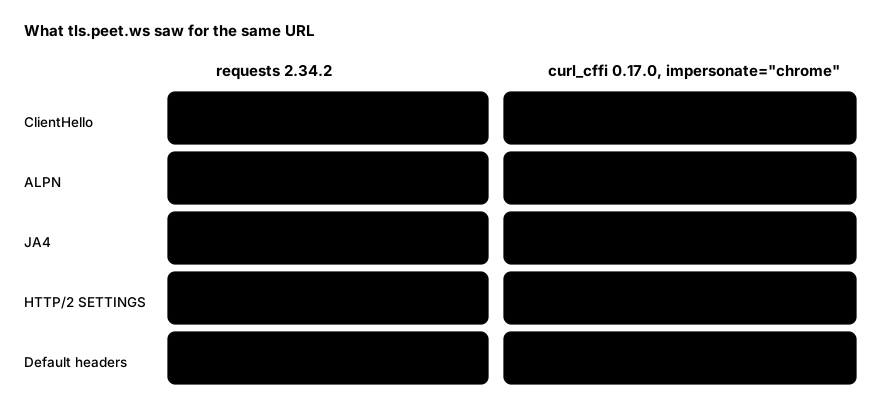
1. ClientHello contents. requests offered 18 cipher suites and 12 extensions. The impersonated Chrome profile offered 16 cipher entries (including a GREASE placeholder, a deliberately meaningless value Chrome inserts so servers cannot hard-code an expected list) and 19 extensions. These include application_settings, compress_certificate, signed_certificate_timestamp, extensionEncryptedClientHello and session_ticket, none of which requests sends. requestssends post_handshake_auth and encrypt_then_mac, which Chrome does not.
2. ALPN. ALPN is the extension where the client lists the application protocols it speaks. requests ended up on HTTP/1.1. The impersonated request negotiated h2. That shows up in both the JA4 prefix and the protocol the server reports.
3. HTTP/2 SETTINGS and pseudo-header order. The string 1:65536;2:0;4:6291456;6:262144|15663105|0|m,a,s,p is the Akamai-style HTTP/2 fingerprint: the SETTINGS values, the WINDOW_UPDATE increment, and the order of the pseudo-headers (m,a,s,p is :method, :authority, :scheme, :path). A plain requests call has none of this because it never speaks HTTP/2. Other targets differ: in my runs Safari gave 2:0;3:100;4:2097152;9:1|10420225|0|m,s,a,p and Firefox gave 1:65536;2:0;4:131072;5:16384|12517377|0|m,p,a,s.
4. Default headers. The profile also sets a header set to match the browser. The server saw sec-ch-ua: "Chromium";v="152", "Not?A_Brand";v="24", "Google Chrome";v="152" and upgrade-insecure-requests: 1, where requests sent User-Agent: python-requests/2.34.2 and Accept: */*. One thing to notice: the profile claimed sec-ch-ua-platform: "Windows" while I ran it on a Mac. The library does not look at your machine, so a header that contradicts your real environment is yours to correct if you care about being consistent.
JA3 moves, JA4 does not
Run the impersonated request twice and compare:
d3f1ad6ffc6107ba7bc40c9caf2a80af  t13d1517h2_8daaf6152771_cb7bf5808d99
688c41f4409d90f89301a202da739c54  t13d1517h2_8daaf6152771_cb7bf5808d99
The JA3 hash changed between two identical requests and the JA4 did not. That is not a bug. Chrome randomises the order of its TLS extensions on every connection, and JA3 hashes them in the order they arrive, so JA3 is unstable for Chrome-shaped clients. JA4 sorts the extensions before hashing, which is why it stays put. If you diff clients, diff JA4 and the HTTP/2 string, not JA3.
The API in practice
The calls mirror requests:
import asyncio
from curl_cffi import requests as cr

# one-off
r = cr.get("https://example.com", impersonate="chrome")

# session: cookies persist, the profile is set once
s = cr.Session(impersonate="safari")
r = s.get("https://example.com")

# async
async def main():
    async with cr.AsyncSession(impersonate="firefox") as s:
        r = await s.get("https://example.com")

asyncio.run(main())
Bare names like "chrome", "safari" and "firefox" resolve to the newest profile the installed version knows; in 0.17.0 that was Chrome 152 for chrome. For reproducible runs, pin a specific target such as chrome152. The enum curl_cffi.requests.BrowserType lists what your installed version supports. In 0.17.0 that includes chrome99 through chrome152 (with some _macos and _android variants), safari153 through safari270 plus iOS variants, firefox133 through firefox155, edge99, edge101and tor145. The targets page says versions are only added when their fingerprints change, so a missing number usually means "use the previous one".
What impersonation does not change
- It does not run JavaScript. There is no DOM, no rendering, no client-side code execution. A page that builds its content in the browser still arrives as an empty shell. That needs a real browser.
- It does not change your IP. The server still sees your address, its reputation and its ASN. A perfect handshake from a flagged address is still a flagged address.
- It does not make behaviour look human. Request rate, ordering, and missing follow-up requests for assets are separate signals.
- It does not grant permission. A site that does not want automated clients can still say no, and a 200 does not mean you are allowed.
Mistakes that waste time
- Treating
impersonate=as the fix for every 403. A 403 caused by IP reputation or a required login is untouched by it. Check the response body and the status before tuning the handshake. - Mixing a profile with contradicting headers. Overriding
User-Agentwith a Windows Chrome string while the profile sends macOS client hints creates the inconsistency you were trying to avoid. Change one thing at a time, then re-run the inspector. - Comparing JA3 hashes between runs. See above; they will differ for the right reasons.
- Trusting one inspector forever. Fingerprint fields and endpoints change. Re-run the diff after upgrading
curl_cffi.
What to do with it
For your own diagnostics, this is a useful lens: when two clients get different responses from the same site, request a TLS echo endpoint from both and diff the output before guessing. For production scraping, the honest options are the site's official API or a licensed data feed, which remove the question altogether. When you do fetch public pages directly, read robots.txt, send a descriptive User-Agent that names your project with a contact address where the target allows it, keep rates modest, and use clean residential or ISP exits, such as Evomi's, only for traffic you are entitled to make.
Wrapping Up
impersonate= changes four visible things: the ClientHello (ciphers, extensions, GREASE), the ALPN protocol, the HTTP/2 SETTINGS and pseudo-header order, and the default headers. You can measure all four with one request to a TLS echo service, and you should compare JA4 and the HTTP/2 string rather than JA3. It does not execute JavaScript, change your IP or earn you permission, so when it stops working, diff first and then decide whether the right answer is a browser, an API or a conversation with the site owner.