
Payment Methods / Apple Pay

Buy Proxies with Apple Pay
Experience the fastest and most secure way to purchase proxies with Apple Pay. Make instant payments from any Apple device while enjoying bank-level security and seamless integration with your existing Apple ecosystem.
At a glance
Apple Pay in detail
- Works on
- iPhone, iPad, Mac and Apple Watch
- Confirmation
- Face ID or Touch ID — no card details to type
- Card data
- Tokenised; card numbers are never stored on your device or our servers
- Time to access
- Instant on payment confirmation
- Extra fees
- None — you pay the listed package price
- Setup needed
- None beyond having Apple Pay configured with a valid card
APPLE PAY
Swift & Secure Proxy Purchases
Streamline your proxy acquisition with Apple Pay's cutting-edge payment technology. Perfect for iOS users seeking a familiar, trusted payment method with built-in security features. Get instant access to our residential proxy network with just a touch or glance.

One-Touch Purchase
Skip the hassle of entering payment details. Purchase proxies instantly with Face ID or Touch ID verification, making the checkout process faster and more convenient than ever.

Device-Wide Compatibility
Buy proxies seamlessly from any Apple device - iPhone, iPad, Mac, or Apple Watch. Your payment information syncs securely across all your devices for maximum convenience.

Enhanced Security
Enjoy bank-grade security with Apple Pay's advanced encryption and tokenization. Your card details are never stored or shared, ensuring maximum protection for your proxy purchases.
How it works
Paying with Apple Pay, step by step
If Apple Pay already works elsewhere on your device, there is nothing extra to configure here.
- 1
Choose Apple Pay at checkout
Pick your proxy package and select Apple Pay. Your saved cards appear automatically.
- 2
Confirm with a glance or a touch
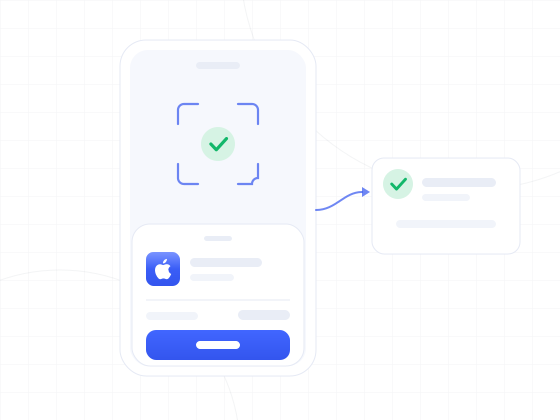
Authorise with Face ID, Touch ID or your device passcode. The card number is replaced by a token.
- 3
Get straight to work
Your proxy access is live immediately, on the same device or any other you are signed in on.
Got Questions About Using Apple Pay?
Discover how Apple Pay makes purchasing residential proxies easier, faster, and more secure than ever before.
Is Apple Pay secure for purchasing proxies?
Yes, Apple Pay uses advanced security features including tokenization, Face ID/Touch ID verification, and encrypted transactions. Your actual card numbers are never stored on your device or our servers, making it one of the most secure payment methods available.
Which Apple devices can I use to pay for proxies?
You can purchase proxies using Apple Pay on any compatible Apple device, including iPhone, iPad, Mac, and Apple Watch. The payment process is identical across devices, requiring just a simple biometric verification.
Do I need to set up anything special to use Apple Pay?
No special setup is required beyond having Apple Pay configured on your device with a valid payment card. If you already use Apple Pay for other purchases, you're ready to buy proxies instantly with the same convenient experience.
Are there any additional fees when using Apple Pay?
No, there are no additional fees for using Apple Pay to purchase our proxy services. You'll only pay the listed price for your chosen proxy package, making it a cost-effective payment option.
Other options
Alternatives to Apple Pay
If Apple Pay does not fit, these are the closest ways to top up your Evomi account.

