


Using ChatGPT for Web Scraping: A Practical Guide

David Foster

Scraping Techniques

ChatGPT won't replace your understanding of HTTP, HTML, or the site you're scraping — but it's an excellent pair-programmer for legitimate data collection. Point it at a chunk of markup and it'll draft a parser. Paste a stack trace and it'll usually spot the bug faster than you will. Used well, it shortens the boring parts of a scraping project so you can focus on the data.

This guide shows concrete ways to work with ChatGPT for scraping public data, QA testing, and research — with working Python snippets you can adapt. Throughout, the assumption is that you're collecting publicly available information, respecting each site's terms and robots.txt, and being polite about request volume.

Where ChatGPT actually helps (and where it doesn't)

ChatGPT is a large language model from OpenAI. It predicts text, which means it's genuinely good at pattern-heavy coding tasks and genuinely unreliable at anything requiring live, verified facts. Keep those strengths and weaknesses in mind:

  • Great at: writing a BeautifulSoup or lxml parser from a sample of HTML, generating CSS/XPath selectors, converting requests-based code to async, explaining an error message, and scaffolding project structure.

  • Unreliable at: knowing a site's current HTML structure, inventing API endpoints that may not exist, or judging whether scraping a particular site is permitted. Always verify against the real page.

Treat generated code as a first draft. Run it, read it, and confirm the selectors match what's actually on the page before you trust the output.

Setting up your environment

Python remains the most practical language for this work. You'll want a recent version — 3.7 or later — plus a code editor and a few libraries:

  • Python 3.7+

  • A code editor or IDE (VS Code, PyCharm)

  • Core libraries: requests, beautifulsoup4, and selenium (or Playwright) for JavaScript-heavy pages

  • Access to ChatGPT via the web interface or the OpenAI API

If you're deciding between fetching raw HTML and driving a full browser, our comparison of web crawling vs. web scraping is a useful primer on scoping the job before you write a line of code.

Writing prompts that produce usable parsers

The single biggest quality upgrade comes from giving ChatGPT the real HTML. Vague prompts get vague code. Instead of "write a scraper for a news site," paste an actual snippet of the markup and describe the fields you want.

A strong prompt looks like this:

"Here is an HTML snippet from a public article listing. Write a Python function using requests and BeautifulSoup that returns a list of dicts with keys 'title', 'url', and 'date'. Handle the case where the date is missing." — then paste the snippet.

That kind of prompt might produce something like:

import requests
from bs4 import BeautifulSoup

def scrape_articles(url):
    headers = {"User-Agent": "research-bot/1.0 (contact: you@example.com)"}
    resp = requests.get(url, headers=headers, timeout=10)
    resp.raise_for_status()

    soup = BeautifulSoup(resp.text, "html.parser")
    articles = []

    for item in soup.select("article.post"):
        title_el = item.select_one("h2 a")
        date_el = item.select_one("time")
        articles.append({
            "title": title_el.get_text(strip=True) if title_el else None,
            "url": title_el["href"] if title_el else None,
            "date": date_el["datetime"] if date_el else None,
        })

    return articles

if __name__ == "__main__":
    for row in scrape_articles("https://example.com/blog"):
        print(row)

Notice a few things worth insisting on in your prompts: a descriptive User-Agent, a request timeout, raise_for_status() for error handling, and null-safe extraction. If the first draft skips these, ask ChatGPT to add them — it will.

Debugging with ChatGPT

This is where the model earns its keep. Selectors break, sites change, and error messages can be cryptic. Paste the traceback plus the relevant code and ask a specific question.

Say your parser suddenly returns empty results. A good debugging prompt: "This function used to return data but now returns an empty list. Here's the function and here's a fresh HTML sample. What changed and how do I fix the selector?" Attaching the current markup lets the model compare its assumptions against reality — the difference between a guess and a fix.

Common issues it handles well include mismatched class names after a site redesign, content that loads via JavaScript (so it's absent from requests output), and encoding problems. For the JavaScript case, ChatGPT will usually point you toward a browser-automation approach.

Handling JavaScript-rendered pages

When content is injected by client-side scripts, plain requests won't see it. You need a real browser. Ask ChatGPT to convert your code to Selenium or Playwright, and be explicit about waiting for elements rather than sleeping arbitrarily:

from selenium import webdriver
from selenium.webdriver.common.by import By
from selenium.webdriver.support.ui import WebDriverWait
from selenium.webdriver.support import expected_conditions as EC

options = webdriver.ChromeOptions()
options.add_argument("--headless=new")
driver = webdriver.Chrome(options=options)

try:
    driver.get("https://example.com/products")
    WebDriverWait(driver, 10).until(
        EC.presence_of_element_located((By.CSS_SELECTOR, ".product-card"))
    )
    for card in driver.find_elements(By.CSS_SELECTOR, ".product-card"):
        name = card.find_element(By.CSS_SELECTOR, ".name").text
        price = card.find_element(By.CSS_SELECTOR, ".price").text
        print(name, price)
finally:
    driver.quit()

Running headless browsers at scale is resource-heavy. If you'd rather not manage a browser fleet, Evomi's Scraping Browser is a managed cloud Chromium endpoint that's Playwright- and Puppeteer-compatible — you connect over wss://browser.evomi.com and skip the infrastructure. For a deeper walkthrough of the Node.js side, see our guide on scraping JavaScript sites with Puppeteer.

Optimizing for larger jobs

Once a scraper works on ten pages, you'll want it to work on ten thousand without hammering the target server. ChatGPT is helpful for restructuring code, but you should steer the design. Ask it to add concurrency with sensible limits and built-in politeness:

import asyncio
import aiohttp
from bs4 import BeautifulSoup

SEMAPHORE = asyncio.Semaphore(5)  # cap concurrent requests

async def fetch(session, url):
    async with SEMAPHORE:
        async with session.get(url, timeout=15) as resp:
            html = await resp.text()
            await asyncio.sleep(1)  # be polite between requests
            return url, html

async def crawl(urls):
    async with aiohttp.ClientSession() as session:
        tasks = [fetch(session, u) for u in urls]
        return await asyncio.gather(*tasks)

# results = asyncio.run(crawl(list_of_urls))

The Semaphore and the deliberate sleep matter: they keep you from overwhelming a server, which is both good etiquette and good for reliability. Ask ChatGPT to add retry logic with exponential backoff and to persist results incrementally so a crash doesn't lose your progress.

For distributed jobs and larger data volumes, routing requests through proxies helps spread load and access region-specific public content. Evomi offers ethically sourced residential proxies from $0.49/GB, datacenter from $0.30/GB, and mobile options — with free trials on residential, mobile, and datacenter plans if you want to test throughput first.

Working responsibly

ChatGPT can also help you scrape the right way. Ask it to write code that reads and respects robots.txt before requesting a URL:

import urllib.robotparser

rp = urllib.robotparser.RobotFileParser()
rp.set_url("https://example.com/robots.txt")
rp.read()

if rp.can_fetch("research-bot/1.0", "https://example.com/some-page"):
    print("Allowed — proceed with a reasonable request rate")
else:
    print("Disallowed — skip this path")

Beyond the technical checks, keep the fundamentals in mind: collect only publicly available data, review the target site's terms of service, avoid personal or sensitive information, and throttle your requests so you never degrade someone else's service. The general legal and ethical landscape around web scraping is nuanced and varies by jurisdiction, so when a project touches personal data or a platform's account systems, get proper advice rather than asking a language model for a legal opinion. For more on doing this cleanly, our overview of scraping data safely covers the practical guardrails.

A realistic workflow

Put it together and a ChatGPT-assisted scraping session tends to look like this: describe the task and paste sample HTML, get a first-draft parser, run it against the live page, feed back any errors or empty results, iterate on selectors, then ask for concurrency, retries, and robots.txt handling once the core logic is solid. You stay in control of scope and ethics; the model handles the repetitive coding.

The result isn't magic — it's a faster feedback loop. You still need to understand what your code does and verify every claim the model makes. But as a tireless assistant for writing parsers and untangling errors, ChatGPT genuinely earns its place in a scraper's toolkit.

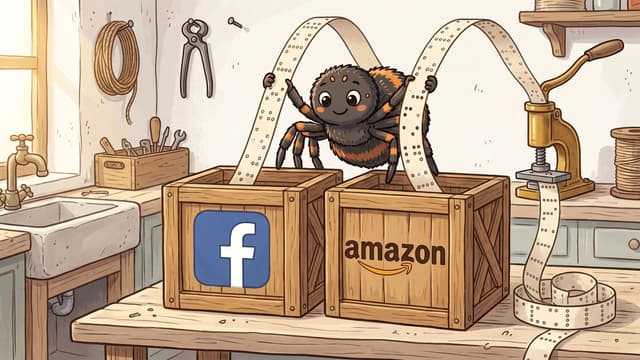
ChatGPT won't replace your understanding of HTTP, HTML, or the site you're scraping — but it's an excellent pair-programmer for legitimate data collection. Point it at a chunk of markup and it'll draft a parser. Paste a stack trace and it'll usually spot the bug faster than you will. Used well, it shortens the boring parts of a scraping project so you can focus on the data.

This guide shows concrete ways to work with ChatGPT for scraping public data, QA testing, and research — with working Python snippets you can adapt. Throughout, the assumption is that you're collecting publicly available information, respecting each site's terms and robots.txt, and being polite about request volume.

Where ChatGPT actually helps (and where it doesn't)

ChatGPT is a large language model from OpenAI. It predicts text, which means it's genuinely good at pattern-heavy coding tasks and genuinely unreliable at anything requiring live, verified facts. Keep those strengths and weaknesses in mind:

  • Great at: writing a BeautifulSoup or lxml parser from a sample of HTML, generating CSS/XPath selectors, converting requests-based code to async, explaining an error message, and scaffolding project structure.

  • Unreliable at: knowing a site's current HTML structure, inventing API endpoints that may not exist, or judging whether scraping a particular site is permitted. Always verify against the real page.

Treat generated code as a first draft. Run it, read it, and confirm the selectors match what's actually on the page before you trust the output.

Setting up your environment

Python remains the most practical language for this work. You'll want a recent version — 3.7 or later — plus a code editor and a few libraries:

  • Python 3.7+

  • A code editor or IDE (VS Code, PyCharm)

  • Core libraries: requests, beautifulsoup4, and selenium (or Playwright) for JavaScript-heavy pages

  • Access to ChatGPT via the web interface or the OpenAI API

If you're deciding between fetching raw HTML and driving a full browser, our comparison of web crawling vs. web scraping is a useful primer on scoping the job before you write a line of code.

Writing prompts that produce usable parsers

The single biggest quality upgrade comes from giving ChatGPT the real HTML. Vague prompts get vague code. Instead of "write a scraper for a news site," paste an actual snippet of the markup and describe the fields you want.

A strong prompt looks like this:

"Here is an HTML snippet from a public article listing. Write a Python function using requests and BeautifulSoup that returns a list of dicts with keys 'title', 'url', and 'date'. Handle the case where the date is missing." — then paste the snippet.

That kind of prompt might produce something like:

import requests
from bs4 import BeautifulSoup

def scrape_articles(url):
    headers = {"User-Agent": "research-bot/1.0 (contact: you@example.com)"}
    resp = requests.get(url, headers=headers, timeout=10)
    resp.raise_for_status()

    soup = BeautifulSoup(resp.text, "html.parser")
    articles = []

    for item in soup.select("article.post"):
        title_el = item.select_one("h2 a")
        date_el = item.select_one("time")
        articles.append({
            "title": title_el.get_text(strip=True) if title_el else None,
            "url": title_el["href"] if title_el else None,
            "date": date_el["datetime"] if date_el else None,
        })

    return articles

if __name__ == "__main__":
    for row in scrape_articles("https://example.com/blog"):
        print(row)

Notice a few things worth insisting on in your prompts: a descriptive User-Agent, a request timeout, raise_for_status() for error handling, and null-safe extraction. If the first draft skips these, ask ChatGPT to add them — it will.

Debugging with ChatGPT

This is where the model earns its keep. Selectors break, sites change, and error messages can be cryptic. Paste the traceback plus the relevant code and ask a specific question.

Say your parser suddenly returns empty results. A good debugging prompt: "This function used to return data but now returns an empty list. Here's the function and here's a fresh HTML sample. What changed and how do I fix the selector?" Attaching the current markup lets the model compare its assumptions against reality — the difference between a guess and a fix.

Common issues it handles well include mismatched class names after a site redesign, content that loads via JavaScript (so it's absent from requests output), and encoding problems. For the JavaScript case, ChatGPT will usually point you toward a browser-automation approach.

Handling JavaScript-rendered pages

When content is injected by client-side scripts, plain requests won't see it. You need a real browser. Ask ChatGPT to convert your code to Selenium or Playwright, and be explicit about waiting for elements rather than sleeping arbitrarily:

from selenium import webdriver
from selenium.webdriver.common.by import By
from selenium.webdriver.support.ui import WebDriverWait
from selenium.webdriver.support import expected_conditions as EC

options = webdriver.ChromeOptions()
options.add_argument("--headless=new")
driver = webdriver.Chrome(options=options)

try:
    driver.get("https://example.com/products")
    WebDriverWait(driver, 10).until(
        EC.presence_of_element_located((By.CSS_SELECTOR, ".product-card"))
    )
    for card in driver.find_elements(By.CSS_SELECTOR, ".product-card"):
        name = card.find_element(By.CSS_SELECTOR, ".name").text
        price = card.find_element(By.CSS_SELECTOR, ".price").text
        print(name, price)
finally:
    driver.quit()

Running headless browsers at scale is resource-heavy. If you'd rather not manage a browser fleet, Evomi's Scraping Browser is a managed cloud Chromium endpoint that's Playwright- and Puppeteer-compatible — you connect over wss://browser.evomi.com and skip the infrastructure. For a deeper walkthrough of the Node.js side, see our guide on scraping JavaScript sites with Puppeteer.

Optimizing for larger jobs

Once a scraper works on ten pages, you'll want it to work on ten thousand without hammering the target server. ChatGPT is helpful for restructuring code, but you should steer the design. Ask it to add concurrency with sensible limits and built-in politeness:

import asyncio
import aiohttp
from bs4 import BeautifulSoup

SEMAPHORE = asyncio.Semaphore(5)  # cap concurrent requests

async def fetch(session, url):
    async with SEMAPHORE:
        async with session.get(url, timeout=15) as resp:
            html = await resp.text()
            await asyncio.sleep(1)  # be polite between requests
            return url, html

async def crawl(urls):
    async with aiohttp.ClientSession() as session:
        tasks = [fetch(session, u) for u in urls]
        return await asyncio.gather(*tasks)

# results = asyncio.run(crawl(list_of_urls))

The Semaphore and the deliberate sleep matter: they keep you from overwhelming a server, which is both good etiquette and good for reliability. Ask ChatGPT to add retry logic with exponential backoff and to persist results incrementally so a crash doesn't lose your progress.

For distributed jobs and larger data volumes, routing requests through proxies helps spread load and access region-specific public content. Evomi offers ethically sourced residential proxies from $0.49/GB, datacenter from $0.30/GB, and mobile options — with free trials on residential, mobile, and datacenter plans if you want to test throughput first.

Working responsibly

ChatGPT can also help you scrape the right way. Ask it to write code that reads and respects robots.txt before requesting a URL:

import urllib.robotparser

rp = urllib.robotparser.RobotFileParser()
rp.set_url("https://example.com/robots.txt")
rp.read()

if rp.can_fetch("research-bot/1.0", "https://example.com/some-page"):
    print("Allowed — proceed with a reasonable request rate")
else:
    print("Disallowed — skip this path")

Beyond the technical checks, keep the fundamentals in mind: collect only publicly available data, review the target site's terms of service, avoid personal or sensitive information, and throttle your requests so you never degrade someone else's service. The general legal and ethical landscape around web scraping is nuanced and varies by jurisdiction, so when a project touches personal data or a platform's account systems, get proper advice rather than asking a language model for a legal opinion. For more on doing this cleanly, our overview of scraping data safely covers the practical guardrails.

A realistic workflow

Put it together and a ChatGPT-assisted scraping session tends to look like this: describe the task and paste sample HTML, get a first-draft parser, run it against the live page, feed back any errors or empty results, iterate on selectors, then ask for concurrency, retries, and robots.txt handling once the core logic is solid. You stay in control of scope and ethics; the model handles the repetitive coding.

The result isn't magic — it's a faster feedback loop. You still need to understand what your code does and verify every claim the model makes. But as a tireless assistant for writing parsers and untangling errors, ChatGPT genuinely earns its place in a scraper's toolkit.

Author

David Foster

Proxy & Network Security Analyst

About Author

David is an expert in network security, web scraping, and proxy technologies, helping businesses optimize data extraction while maintaining privacy and efficiency. With a deep understanding of residential, datacenter, and rotating proxies, he explores how proxies enhance cybersecurity, bypass geo-restrictions, and power large-scale web scraping. David’s insights help businesses and developers choose the right proxy solutions for SEO monitoring, competitive intelligence, and anonymous browsing.

Like this article? Share it.
You asked, we answer - Users questions:
Can ChatGPT write a complete web scraper for me?+
Why does the code ChatGPT generates sometimes return empty results?+
Is it legal to scrape websites with help from ChatGPT?+
How do I keep my scraper from overloading a target server?+
Do I need proxies when scraping with ChatGPT-generated code?+

In This Article