

Web Scraping Best Practices for 2025: An Ethical Guide


Sarah Whitmore
Scraping Techniques
The amount of data published openly on the web keeps climbing, and so does the demand for turning it into something useful. Web scraping — the automated collection of publicly available information — sits at the center of that work, powering everything from price monitoring to academic research. But the practice only pays off long term when it's done responsibly. This guide walks through the practices that keep your scraping accurate, efficient, and firmly on the right side of both the law and each site's rules as we move through 2025.
What Web Scraping Actually Is
At its core, web scraping is the automated extraction of specific data from web pages. Picture a retailer wanting to track competitor pricing across dozens of stores. Doing that by hand — visiting each site, copying prices into a spreadsheet — is slow, tedious, and riddled with human error.
A scraper handles the same job automatically: it visits the pages, pulls the relevant fields, and structures them (as JSON or CSV, say) ready for analysis. That makes the whole process faster, more scalable, and far more consistent. Common, legitimate use cases include:
Market research and competitor analysis;
Aggregating public product prices and reviews;
Tracking brand mentions and public social trends;
Quality assurance and testing across regions;
Academic research and data journalism.
The value is obvious. So is the potential for misuse — harvesting private information or hammering a site against its stated policies. That's exactly why the rest of this guide is built around ethical, terms-aware collection. If you're still deciding whether you need broad site discovery or targeted extraction, our breakdown of web crawling vs. web scraping is a helpful starting point.
1. Respect Data Privacy Laws and Terms of Service
The legal framing matters before a single line of code runs. Collecting personally identifiable information (PII) can create serious exposure, particularly under Europe's General Data Protection Regulation (GDPR) or the California Consumer Privacy Act (CCPA). These laws give individuals real rights over their personal data, and "it was on a public page" is not a blanket defense for processing it.
A clear boundary is data behind a login wall. Registering for an account usually means agreeing to a Terms of Service document, and automating collection from those private areas typically violates those terms. Personal details such as email addresses, phone numbers, employment histories, or non-public profile content should generally stay off your list. The safe default: collect public, non-personal data, and document why you're collecting it.
2. Target Only the Data You Need
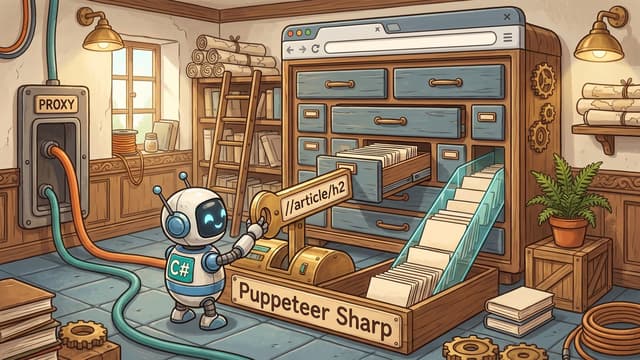
Good scraping is precise, not greedy. Collect only the specific public fields your task requires. Most scraping tools let you target exact HTML elements with CSS or XPath selectors, so there's no reason to hoover up entire pages and sort it out later.
Say you're tracking prices for electronics — you might only need the product name, brand, and price. If those live in predictable structures like <span class="product-title"> or <div class="price-tag">, configure the scraper to read those elements and nothing else. That cuts processing time, storage, and the load you place on the target server.
Because site structures vary, there's no universal selector. Your browser's developer tools (F12, or right-click > Inspect) let you examine the page structure in the Elements or Inspector panel. A working knowledge of HTML and CSS goes a long way here — enough to spot the right tags, IDs, and classes to target. If you're building this in Python, our guide to mastering Python web scraping in 2025 covers the parsing libraries in depth.
3. Read (and Honor) the Robots.txt File
A well-known US court case, hiQ Labs v. LinkedIn, helped clarify that scraping genuinely public data isn't inherently unlawful — but that ruling isn't a license to ignore a site's stated preferences. Start with the Terms of Service and look for explicit statements about automated access.
Next, check the robots.txt file, usually at the domain root (for example, www.example.com/robots.txt). It tells automated agents which paths they're asked not to visit, using directives like User-agent (naming a bot, or * for all), Disallow, and Allow.
Technically, robots.txt is a request rather than a binding contract. Our position is simpler than the legal nuance: if a path is disallowed, don't scrape it. Treat those directives as the site owner's explicit boundary. If the data you need sits in a disallowed area, that's a signal to look for another source — a public API, an official data feed, or direct contact with the site owner — rather than a hurdle to work around. Respecting these rules keeps your project sustainable and your reputation intact.
4. Scrape Reliably Without Overloading Sites
Even when you're scraping only permitted, public pages, you want to do it in a way that's stable and considerate. Sites protect themselves from aggressive automated traffic for good reason, and your goal is to behave like a well-mannered client rather than a firehose. A few technical realities shape how you should operate:
IP Address Load and Distribution
Servers watch the volume and frequency of requests from a single IP. Sending thousands of requests from one address in a short window is both hard on the server and likely to get that address throttled. Distributing requests sensibly is better for everyone.
Rate Limiting
Many sites cap how many requests an IP can make in a given window. The right response isn't to fight the limit — it's to respect it. Add delays between requests, run tasks concurrently only within reasonable bounds, and back off when a server signals it's busy (an HTTP 429, for instance).
Honeypot Traps
Some sites plant honeypots — links or fields invisible to humans but visible in the raw HTML. A naive scraper that follows every link can wander into these. Writing selectors that mirror what a real user would actually see keeps your crawler focused on legitimate content and avoids collecting junk data.
A reliable proxy service is the practical foundation for distributed, respectful scraping. Proxies route your requests through different servers so a single address isn't carrying all the traffic. Evomi offers pools of ethically sourced residential proxies, along with datacenter, mobile, and static ISP options, so you can match the network type to the job and spread load geographically. Residential proxies start at $0.49/GB, and everything is operated from Switzerland with an emphasis on ethical sourcing.
On the client side, keep your setup honest and identifiable. Send a truthful, consistent User-Agent string that reflects the client you're actually running, and where a site publishes contact details for crawler operators, provide them. If you want a purpose-built environment, our managed Scraping Browser runs headless Chromium in the cloud and is compatible with Playwright and Puppeteer, which simplifies rendering JavaScript-heavy public pages without maintaining browser infrastructure yourself. For a framework-specific walkthrough, see our guide to Playwright web scraping and proxy strategies. You can also sanity-check your outbound setup with our free proxy tester and IP geolocation checker.
5. Check for an Official API First
Before writing any scraper, see whether the site offers an Application Programming Interface. An API is a structured, sanctioned channel for pulling data directly from the source, with the provider's explicit permission. Think of how news sites pull in live stock quotes or weather — that's usually an API at work.
Plenty of e-commerce platforms, social networks, and data providers publish APIs for exactly this purpose. They're generally more stable and efficient than scraping, and they keep you clearly within the provider's terms. The trade-offs: APIs often carry rate limits, may not expose every field you want, and can cost money. If an API covers your needs, use it. If it genuinely doesn't, careful scraping of public pages — following the practices above — remains a legitimate alternative.
Putting It Together
Web scraping is a powerful way to turn the public web into structured, decision-ready data. Kept within sensible bounds, it's also entirely defensible: respect privacy laws and Terms of Service, collect only what you need, honor robots.txt, scrape at a considerate pace with ethically sourced proxies, and reach for official APIs whenever they exist. Do that, and you build data pipelines you can stand behind — accurate, sustainable, and worth trusting. If you're weighing which network fits your project, our overview of proxy implementation best practices is a solid next read, and you can compare options directly on our pricing page.

The amount of data published openly on the web keeps climbing, and so does the demand for turning it into something useful. Web scraping — the automated collection of publicly available information — sits at the center of that work, powering everything from price monitoring to academic research. But the practice only pays off long term when it's done responsibly. This guide walks through the practices that keep your scraping accurate, efficient, and firmly on the right side of both the law and each site's rules as we move through 2025.
What Web Scraping Actually Is
At its core, web scraping is the automated extraction of specific data from web pages. Picture a retailer wanting to track competitor pricing across dozens of stores. Doing that by hand — visiting each site, copying prices into a spreadsheet — is slow, tedious, and riddled with human error.
A scraper handles the same job automatically: it visits the pages, pulls the relevant fields, and structures them (as JSON or CSV, say) ready for analysis. That makes the whole process faster, more scalable, and far more consistent. Common, legitimate use cases include:
Market research and competitor analysis;
Aggregating public product prices and reviews;
Tracking brand mentions and public social trends;
Quality assurance and testing across regions;
Academic research and data journalism.
The value is obvious. So is the potential for misuse — harvesting private information or hammering a site against its stated policies. That's exactly why the rest of this guide is built around ethical, terms-aware collection. If you're still deciding whether you need broad site discovery or targeted extraction, our breakdown of web crawling vs. web scraping is a helpful starting point.
1. Respect Data Privacy Laws and Terms of Service
The legal framing matters before a single line of code runs. Collecting personally identifiable information (PII) can create serious exposure, particularly under Europe's General Data Protection Regulation (GDPR) or the California Consumer Privacy Act (CCPA). These laws give individuals real rights over their personal data, and "it was on a public page" is not a blanket defense for processing it.
A clear boundary is data behind a login wall. Registering for an account usually means agreeing to a Terms of Service document, and automating collection from those private areas typically violates those terms. Personal details such as email addresses, phone numbers, employment histories, or non-public profile content should generally stay off your list. The safe default: collect public, non-personal data, and document why you're collecting it.
2. Target Only the Data You Need
Good scraping is precise, not greedy. Collect only the specific public fields your task requires. Most scraping tools let you target exact HTML elements with CSS or XPath selectors, so there's no reason to hoover up entire pages and sort it out later.
Say you're tracking prices for electronics — you might only need the product name, brand, and price. If those live in predictable structures like <span class="product-title"> or <div class="price-tag">, configure the scraper to read those elements and nothing else. That cuts processing time, storage, and the load you place on the target server.
Because site structures vary, there's no universal selector. Your browser's developer tools (F12, or right-click > Inspect) let you examine the page structure in the Elements or Inspector panel. A working knowledge of HTML and CSS goes a long way here — enough to spot the right tags, IDs, and classes to target. If you're building this in Python, our guide to mastering Python web scraping in 2025 covers the parsing libraries in depth.
3. Read (and Honor) the Robots.txt File
A well-known US court case, hiQ Labs v. LinkedIn, helped clarify that scraping genuinely public data isn't inherently unlawful — but that ruling isn't a license to ignore a site's stated preferences. Start with the Terms of Service and look for explicit statements about automated access.
Next, check the robots.txt file, usually at the domain root (for example, www.example.com/robots.txt). It tells automated agents which paths they're asked not to visit, using directives like User-agent (naming a bot, or * for all), Disallow, and Allow.
Technically, robots.txt is a request rather than a binding contract. Our position is simpler than the legal nuance: if a path is disallowed, don't scrape it. Treat those directives as the site owner's explicit boundary. If the data you need sits in a disallowed area, that's a signal to look for another source — a public API, an official data feed, or direct contact with the site owner — rather than a hurdle to work around. Respecting these rules keeps your project sustainable and your reputation intact.
4. Scrape Reliably Without Overloading Sites
Even when you're scraping only permitted, public pages, you want to do it in a way that's stable and considerate. Sites protect themselves from aggressive automated traffic for good reason, and your goal is to behave like a well-mannered client rather than a firehose. A few technical realities shape how you should operate:
IP Address Load and Distribution
Servers watch the volume and frequency of requests from a single IP. Sending thousands of requests from one address in a short window is both hard on the server and likely to get that address throttled. Distributing requests sensibly is better for everyone.
Rate Limiting
Many sites cap how many requests an IP can make in a given window. The right response isn't to fight the limit — it's to respect it. Add delays between requests, run tasks concurrently only within reasonable bounds, and back off when a server signals it's busy (an HTTP 429, for instance).
Honeypot Traps
Some sites plant honeypots — links or fields invisible to humans but visible in the raw HTML. A naive scraper that follows every link can wander into these. Writing selectors that mirror what a real user would actually see keeps your crawler focused on legitimate content and avoids collecting junk data.
A reliable proxy service is the practical foundation for distributed, respectful scraping. Proxies route your requests through different servers so a single address isn't carrying all the traffic. Evomi offers pools of ethically sourced residential proxies, along with datacenter, mobile, and static ISP options, so you can match the network type to the job and spread load geographically. Residential proxies start at $0.49/GB, and everything is operated from Switzerland with an emphasis on ethical sourcing.
On the client side, keep your setup honest and identifiable. Send a truthful, consistent User-Agent string that reflects the client you're actually running, and where a site publishes contact details for crawler operators, provide them. If you want a purpose-built environment, our managed Scraping Browser runs headless Chromium in the cloud and is compatible with Playwright and Puppeteer, which simplifies rendering JavaScript-heavy public pages without maintaining browser infrastructure yourself. For a framework-specific walkthrough, see our guide to Playwright web scraping and proxy strategies. You can also sanity-check your outbound setup with our free proxy tester and IP geolocation checker.
5. Check for an Official API First
Before writing any scraper, see whether the site offers an Application Programming Interface. An API is a structured, sanctioned channel for pulling data directly from the source, with the provider's explicit permission. Think of how news sites pull in live stock quotes or weather — that's usually an API at work.
Plenty of e-commerce platforms, social networks, and data providers publish APIs for exactly this purpose. They're generally more stable and efficient than scraping, and they keep you clearly within the provider's terms. The trade-offs: APIs often carry rate limits, may not expose every field you want, and can cost money. If an API covers your needs, use it. If it genuinely doesn't, careful scraping of public pages — following the practices above — remains a legitimate alternative.
Putting It Together
Web scraping is a powerful way to turn the public web into structured, decision-ready data. Kept within sensible bounds, it's also entirely defensible: respect privacy laws and Terms of Service, collect only what you need, honor robots.txt, scrape at a considerate pace with ethically sourced proxies, and reach for official APIs whenever they exist. Do that, and you build data pipelines you can stand behind — accurate, sustainable, and worth trusting. If you're weighing which network fits your project, our overview of proxy implementation best practices is a solid next read, and you can compare options directly on our pricing page.

Author
Sarah Whitmore
Digital Privacy & Cybersecurity Consultant
About Author
Sarah is a cybersecurity strategist with a passion for online privacy and digital security. She explores how proxies, VPNs, and encryption tools protect users from tracking, cyber threats, and data breaches. With years of experience in cybersecurity consulting, she provides practical insights into safeguarding sensitive data in an increasingly digital world.