Your mail server starts bouncing messages, or a login form on your site gets hammered by thousands of attempts from one address, or your own connection suddenly shows up on a blocklist. In all three cases the problem is IP abuse, and you need to know what the evidence is worth and who can act on it.
IP abuse is when an IP address is used to harm others: sending spam, attacking servers, spreading malware. This guide shows how to check whether an IP address has abuse reports, how to report abuse to the network responsible, and what to do if your own IP is flagged.
What is IP abuse?
IP abuse is the malicious or unauthorised use of an internet address to harm networks, disrupt services or commit crime. The address is only the label on the traffic. The abuse comes from a device or an account that was using that address at a particular moment.
That distinction changes how you read every report:
- An IP address is not a person. Behind one address there can be a single laptop, a household, an office, or thousands of customers.
- Shared addresses share history. Home routers use NAT to put many devices behind one public address, and some ISPs use carrier-grade NAT to put many customers behind one (IPv4 vs IPv6explains why). Hosting providers reassign addresses between customers, so an address can carry reports about someone who used it last month. Dedicated vs shared proxies covers the same idea for proxy IPs.
Common types of IP abuse
- Spam. Bulk unsolicited email, or comment and form spam, sent from an address. Receiving mail servers may refuse mail from that address afterwards.
- Phishing. Pages or emails that imitate a bank, shop or login page to steal credentials.
- Malware and botnets. Infected devices are enrolled into a network controlled by someone else, then used to send spam, scan for more victims or attack servers. The best-known example is Mirai. On 21 October 2016 a Mirai-based botnet, built largely from compromised DVRs and IP cameras still using factory-default passwords, helped knock the DNS provider Dyn offline, disrupting many large sites (reported by Krebs on Security). The owners of those cameras did not know their devices were part of anything.
- DDoS. Floods of traffic from many addresses meant to overwhelm a service. The sources are often hijacked devices, so many addresses in the logs belong to victims.
- Brute-force logins. Automated guessing of passwords against SSH, mail, admin panels or login forms, often working through a list of common passwords.
- Scanning and exploitation. Probing a range of addresses for open ports or known vulnerable software. Scanning alone is noisy but not always malicious, so treat such reports with care.
- Misuse of open proxies. A misconfigured proxy or relay that accepts connections from anyone gets used by strangers, and the proxy's address collects the reports.
Typical signs: a burst of failed logins from one address, outbound mail rejected as spam, unexplained traffic spikes, or a provider telling you your address was reported.
How to check an IP address for abuse (IP abuse lookup)
An IP abuse lookup answers two questions: what has been reported about this address, and who runs it. Use more than one source. The whois examples below were run on 14 October 2026; the AbuseIPDB, what-is-my-ip and ASN lookups were not run for this post, so no result screenshots are shown.
- AbuseIPDB. AbuseIPDB is a community database of reported addresses. Per its FAQ, its "Confidence of Abuse" is a rating scaled 0 to 100 of how confident the site is, based on user reports, that an address is malicious. On a result page, read the report count, the categories, and the dates alongside the score.
- Evomi's what-is-my-ip tool.
/tools/what-is-my-ipshows your public IP with abuse reputation and proxy or VPN detection. - ASN lookup.
/tools/ip-address-lookupshows the ASN, which tells you who operates the address: a consumer ISP, a hosting company or a mobile network. That one fact explains a lot. A hosting network is expected to carry servers. A consumer ISP address with a spike of reports is more likely a compromised device.
How to read the result
- Several sources beat one. Databases collect different reports and score them differently, so they can disagree without anyone being wrong. The same applies to fraud scores; see why IP reputation checkers disagree.
- Recent beats old. A cluster from last week is a current problem. A lone report from years ago on a reassigned address is usually noise.
- Shared addresses inherit history, as above, so weigh them accordingly.
- A "proxy" or "VPN" flag is not an abuse report. It says how the address is used, not that anyone complained about it.
- A score is a signal, not a verdict. Do not block or accuse on the strength of one number.
How to find who to report IP abuse to
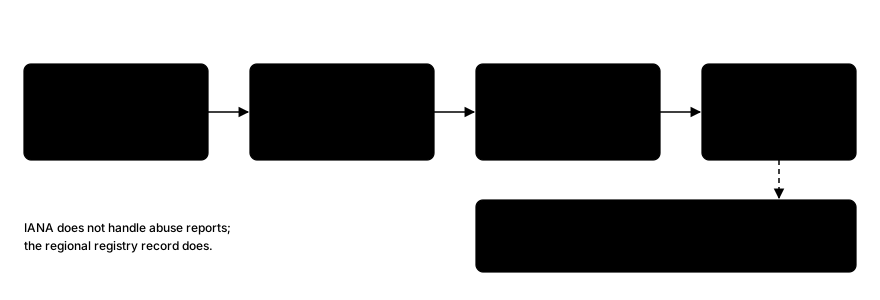
Reports go to the network that controls the address, not to the person who owns the device. The place to look is the registry record.
IANA does not handle these reports. Its abuse answers page explains that IANA is a record-keeper rather than an ISP, and directs you to the regional registry responsible for the address and its WHOIS or RDAP record. The five regional registries are ARIN, RIPE NCC, APNIC, LACNIC and AFRINIC. ARIN and RIPE NCCboth publish abuse guidance.
On macOS or Linux, run whois against the address. This example uses the RIPE NCC's own public address range, queried from a Mac on 14 October 2026 and trimmed to the relevant fields:
whois -h whois.ripe.net 193.0.0.1inetnum: 193.0.0.0 - 193.0.7.255
netname: RIPE-NCC
org: ORG-RIEN1-RIPE
country: NL
...
organisation: ORG-RIEN1-RIPE
org-name: Reseaux IP Europeens Network Coordination Centre (RIPE NCC)
abuse-c: ops4-ripe
...
role: RIPE NCC Operations
abuse-mailbox: abuse@ripe.netThe abuse-c field points to a contact object, and that object's abuse-mailbox is where reports go. Field names differ by registry. A query to ARIN's WHOIS for 8.8.8.8 on the same day showed the contact as OrgAbuseHandle, OrgAbuseName and OrgAbuseEmail instead. You can also ask a registry's RDAP service, for example curl -s https://rdap.arin.net/registry/ip/8.8.8.8, which returns the same data as JSON with the contact under an entities list.
If the first registry does not hold the address, the IANA page above explains how to find the one that does. Prefer the abuse mailbox over a general contact address.
How to report an IP address for abuse properly
A good report lets someone act on it without writing back to ask what you mean. Include:
- Date and time with a time zone, UTC preferred, for every event.
- The source IP address, and the source port if you have it.
- What was targeted: your IP, hostname and port or service.
- The type of abuse: spam, brute force, scan, phishing page and so on.
- A short log excerpt, a few lines rather than a whole file.
Send it to the abuse mailbox from the previous step. You can also report to AbuseIPDB to record the evidence publicly; check its current reporting requirements first. For illicit content on a website, its FAQ advises contacting the hosting provider first. If you are the victim of a crime, report it to the police or your national cybercrime unit as well.
A template:
To: abuse@example.net
Subject: Abuse report: SSH brute force from 203.0.113.45

Hello,

Between 2026-11-20 09:12 UTC and 2026-11-20 09:47 UTC, 203.0.113.45
made repeated failed SSH login attempts against our server
(198.51.100.10, port 22).

Log excerpt (times in UTC):
2026-11-20T09:12:03Z sshd: Failed password for invalid user admin from 203.0.113.45
2026-11-20T09:12:05Z sshd: Failed password for invalid user test from 203.0.113.45

Please investigate. We can supply further logs on request.

Contact: security@example.org
What not to do:
- Do not retaliate. Do not scan back, flood or "hack back". It is illegal in many places, and the address may belong to a victim.
- Do not publish a person's details. You usually cannot tell who the person is, and guessing causes harm.
- Do not expect the network to name the customer. Networks act on reports but do not usually tell the reporter who the customer is.
What to do if your IP is flagged as abusive ("my IP is possibly compromised")
Assume it might not be your fault, then work through these in order.
- Confirm with two or three sources. One database flagging an address is a prompt to check, not proof.
- Check whether the address is shared. On a shared or dynamic address, or behind carrier-grade NAT, the reports may be about someone else's traffic. Your ISP can tell you which you have.
- Scan your devices for malware. Check every computer and phone on the network, not just the one you use most.
- Secure the router. Update its firmware and change the default admin password. Check smart-home and IoT devices, which are the usual victims of botnets like Mirai.
- If you run a server, close open proxies, open mail relays and open resolvers, patch vulnerable services, and look at your outbound logs for traffic you did not expect.
- Contact your ISP. They can see their side of the network and may know about a wider problem.
- Request removal through each blocklist's own process, after you have fixed the cause. Each list publishes its own delisting procedure.
For deeper work on your own address's standing, including mail-sender reputation, see how IP reputation checkers score addresses.
How to prevent IP abuse from your network
- Patch and update. Operating systems, routers, firmware and anything exposed to the internet.
- Use strong, unique passwords and multi-factor authentication. Change factory-default passwords on every device.
- Run a firewall and intrusion detection. Block inbound traffic you do not need.
- Rate-limit your own login endpoints, so brute-force attempts hit a wall (the rate-limit error explainershows the other side of that wall).
- Monitor outbound traffic. Unexpected mail, scans or large uploads are early signs of a compromised device.
- Authenticate your email with SPF, DKIM and DMARC if you send mail.
- Close open relays and proxies. If you do not intend to serve the public, nobody should be able to use them.
How proxy providers handle abuse
Proxy and hosting networks get abuse reports too, because the address in a victim's logs belongs to the network, not to the customer. Responsible providers screen sign-ups, monitor use, and suspend accounts that break the rules. Ask any provider what it checks at sign-up, whether it monitors use, and what happens when someone reports a problem.
For Evomi, the ethics page describes the approach. It says sign-up collects name, email and address, and that "every account agrees to our Acceptable Use terms when it registers." It also says engineers have tools "to monitor the usage of our ethical proxies" and that "at any point suspicious usage is detected, we are able to shut off access to the particular user in question." The page is the authority on the full policy. Evomi's residential network is described on its product page as 54M+ ethically sourced residential IPs.
FAQ
What is IP abuse?
IP abuse is the malicious or unauthorised use of an IP address to harm others, such as sending spam, running phishing pages, attacking servers or spreading malware. The address only identifies the network endpoint, so the abuse usually comes from a device or account that used that address at the time.
How do I check if an IP is abusive?
Look the address up in a reputation database such as AbuseIPDB and read the report count, categories and dates, not just the score. Then check the ASN to see who operates it. Use at least two sources, and remember that shared and reassigned addresses carry other people's history.
How do I report IP abuse?
Run whois or an RDAP lookup on the address to find the abuse contact, such as abuse-c or OrgAbuseEmail. Email that contact with the UTC time, the source IP, the target, the type of abuse and a short log excerpt. Report crimes to the police as well.
What do I do if my IP is flagged?
Confirm the flag with two or three sources, then check whether your address is shared or dynamic. Scan your devices for malware, update the router and change its default password, and contact your ISP. After fixing the cause, request removal through each blocklist's own delisting process.
Why does my IP show as abusive?
Often because of something on your network, such as an infected device or an open service. Sometimes you share the address with others through NAT, or a previous user of a dynamic address generated the reports. An ASN lookup and your ISP can help tell which. Check for malware first.
Wrapping Up
Treat an abuse flag as evidence to read, not a verdict: check several sources, look at dates and categories, and remember that an address is not a person. To report, find the abuse contact in the registry record and send a short report with UTC times and a log excerpt. If your own address is flagged, find and close the cause, then use each blocklist's own removal process.